Paint Space AR
Design as a differentiator
At the start of 2017, mobile AR didn't exist as a category - physical image markers were needed to pin any content to the world. Then, ARKit was teased - allowing 6DOF tracking in real time. I immediately realized this meant I could now ship consumer quality AR experiences on the phone.
I made a strategic bet on something familiar - drawing. Everyone has drawn before, and I suspected I'd have success by grounding the strange in the known.
I designed, developed, and shipped Paint Space solo. It became one of Apple's best apps of the year, and one of the most downloaded AR entertainment apps on iOS.
.png)
Design as a differentiator
As an independent designer creating an app in an emerging tech category that hadn't released yet, I knew my competitive edge on launch day wasn't going to be in tech innovation, it was going to be in thoughtful design and product decisions that would make for a delightful experience of this new technology. I opted for simplicity in concept, and invested deeply in execution.
Paint Space launched the same day ARKit hit phones, and would later go on to be a launch partner with ARCore (Android's equivalent).
Apple selected it as one of their Best Apps of 2017 for Technology and Innovation. Google chose it as a launch day partner for ARCore. For months after iOS 11 launched, it was one of the most downloaded AR entertainment apps on the App Store, with over 600,000 downloads in its first week.
Designed, engineered, tested, marketed, and shipped by yours truly.
Designing for a medium that doesn't exist yet
Build, fail, repeat.
Settling on the right launch day concept took a while. I built and shelved multiple apps - a 'Paint by Number' AR experience, a couple games, a music visualizer, and so on, before landing on something that felt sticky, and was feasible for one person to accomplish against the launch day deadline. Each dead end contributed something: interaction patterns, technical lessons, and a better sense of what felt magical versus gimmicky in AR.
As is often the case, learning what not to build was key. Several of these could have been decent apps with more polish, but they just didn't have the simplicity and reusability of Paint Space.
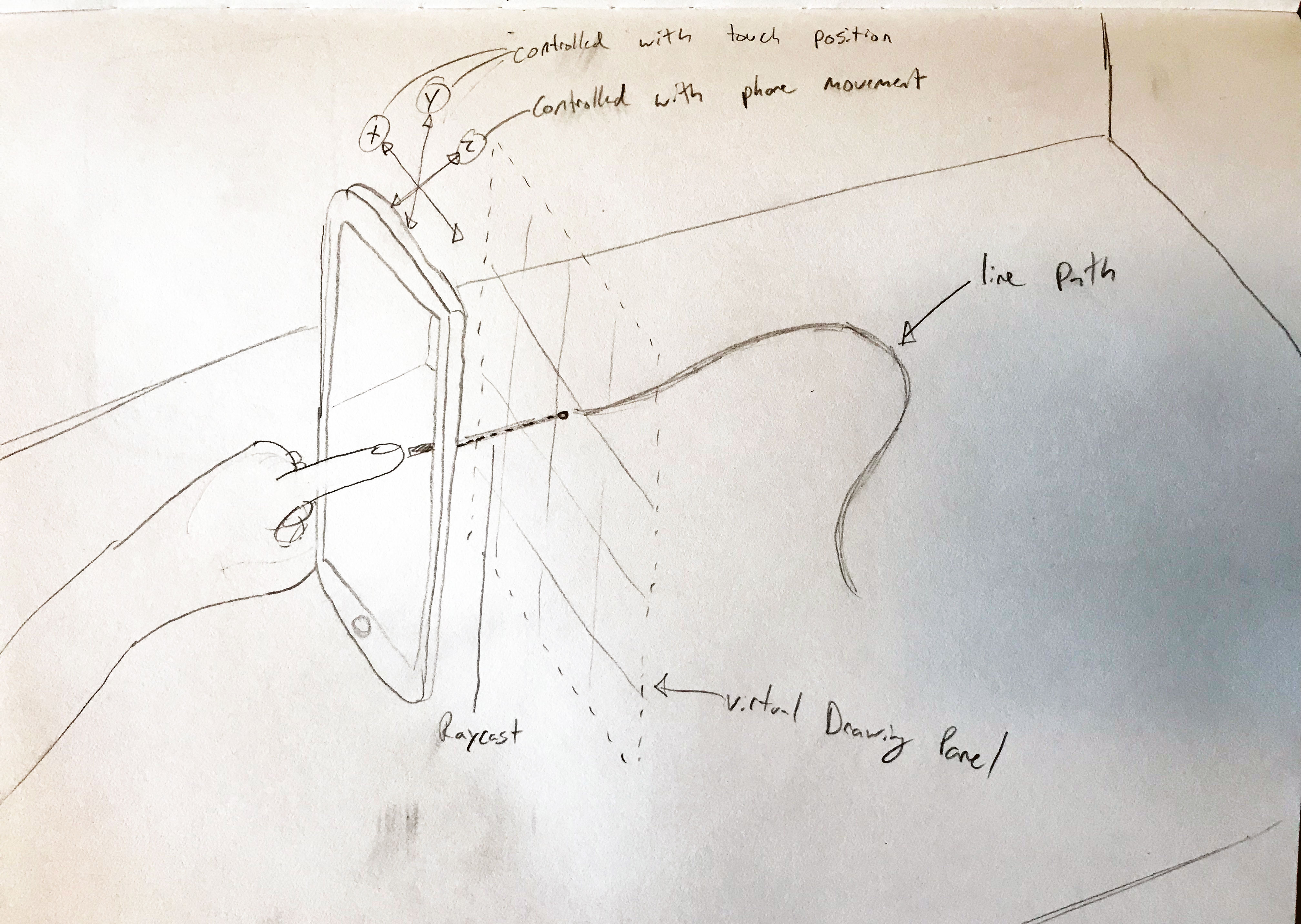
Prototype over mockup.
I used sketches to work through features and 'under the hood' concepts quickly, but transitioned to working prototypes as fast as possible. In AR, the gap between what looks right on paper and what feels right in-hand is enormous. Interactions that seem obvious in a wireframe fall apart when you're holding the phone and moving through space.
The loop was: sketch a concept, build it, put it in someone's hands, learn why it doesn't work, repeat. Speed through low fidelity was essential because the real design decisions could only be made in the medium itself.
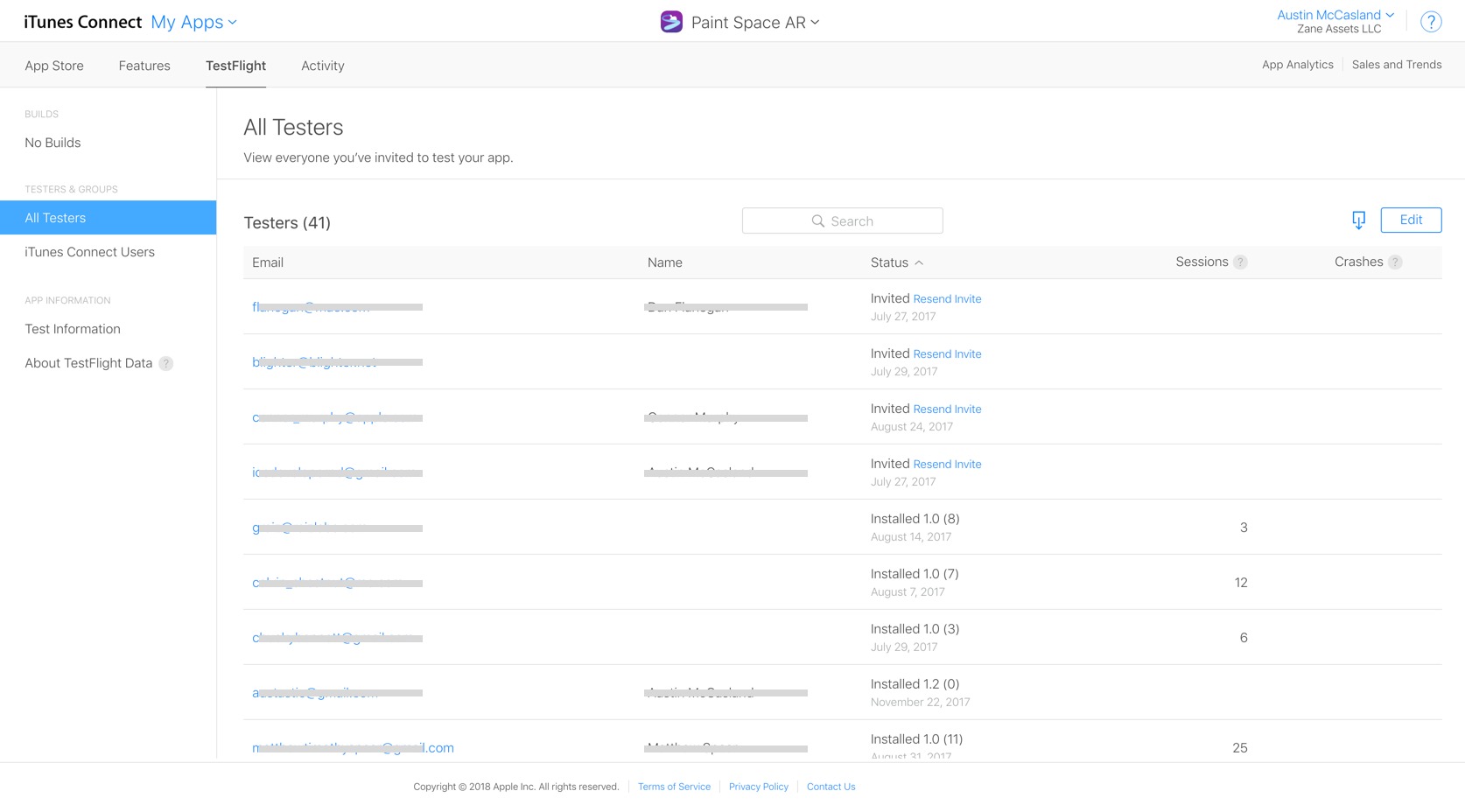
75 beta testers, recruited from scratch
Meaningful user feedback and QA was a bit tricky. I was designing pre-ARKit launch, trying concepts with little precedent, and the only people who could run the app before launch were other developers - no one else had ARKit available on their phone.
In addition to making everyone I saw give it a whirl, I recruited testers from development forums, AR enthusiast networks, and anywhere I could find people willing to try something new. I managed to cobble together a beta group of around 75 users who gave continuous feedback through frequent updates. The testing validated that the core interaction model - 2D touch input combined with physical movement - was immediately intuitive even for people who'd never experienced AR.
Paint Space launched with a 4.7 out of 5 star rating with over a hundred reviews. Thank you testers!
Making drawing in 3D feel like drawing in 2D
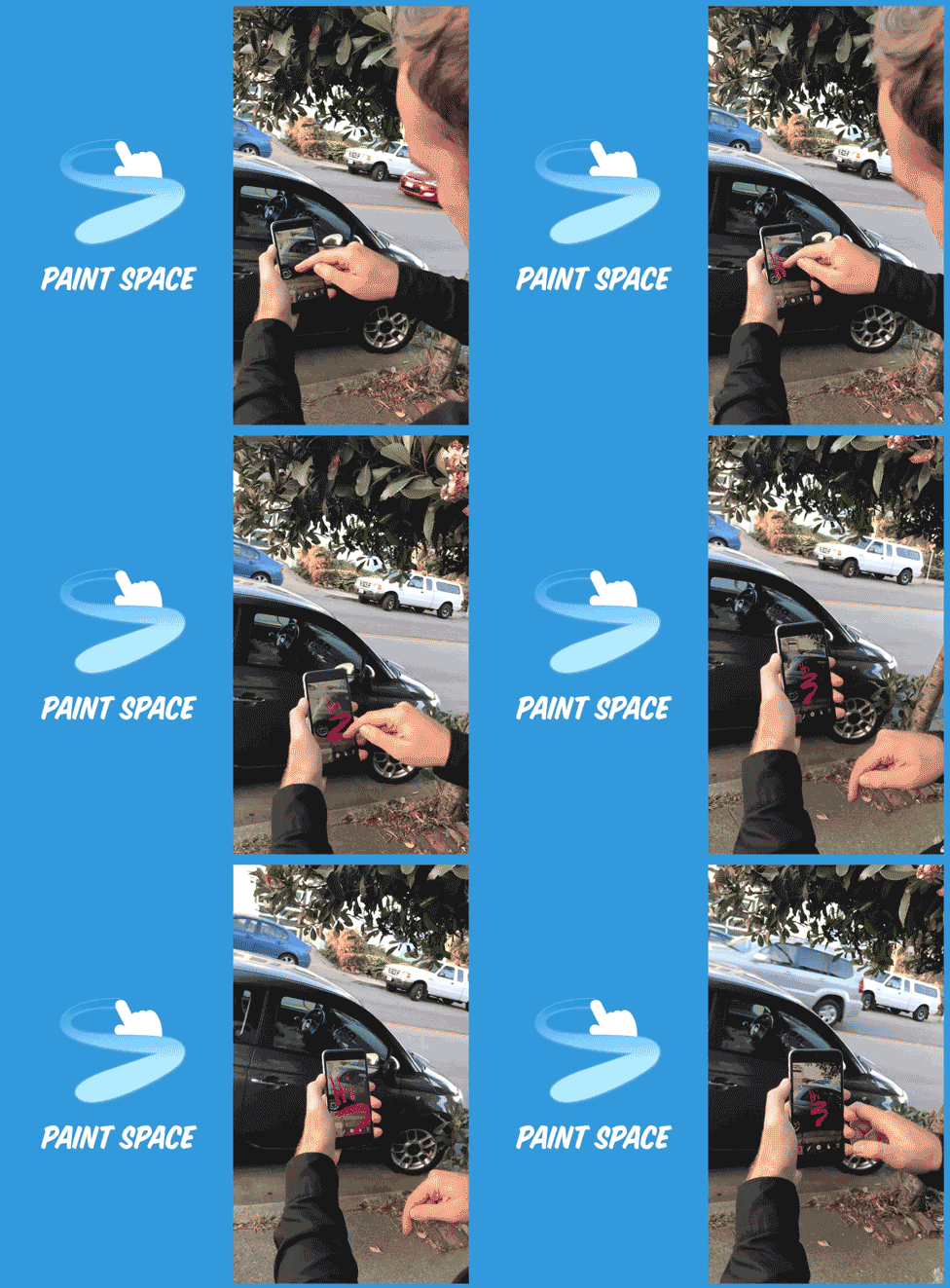
Draw like you're used to
Paint Space utilizes the touch screen to allow everyone to draw in a way they are used to. As people become more familiar with the possibilities of moving their phone in space while drawing, it enables them to create dynamic lines in 3D space that are sculptural without having the mental overhead of 're-learning' a new way to draw.
By leveraging multi-touch, Paint Space is able to ensure that however you touch the screen, it's intuitively represented in your drawing. Everywhere you touch the screen is a brush, reinforcing the drawing metaphor and creating hands on, tactile experience that works like you'd expect with no surprises.
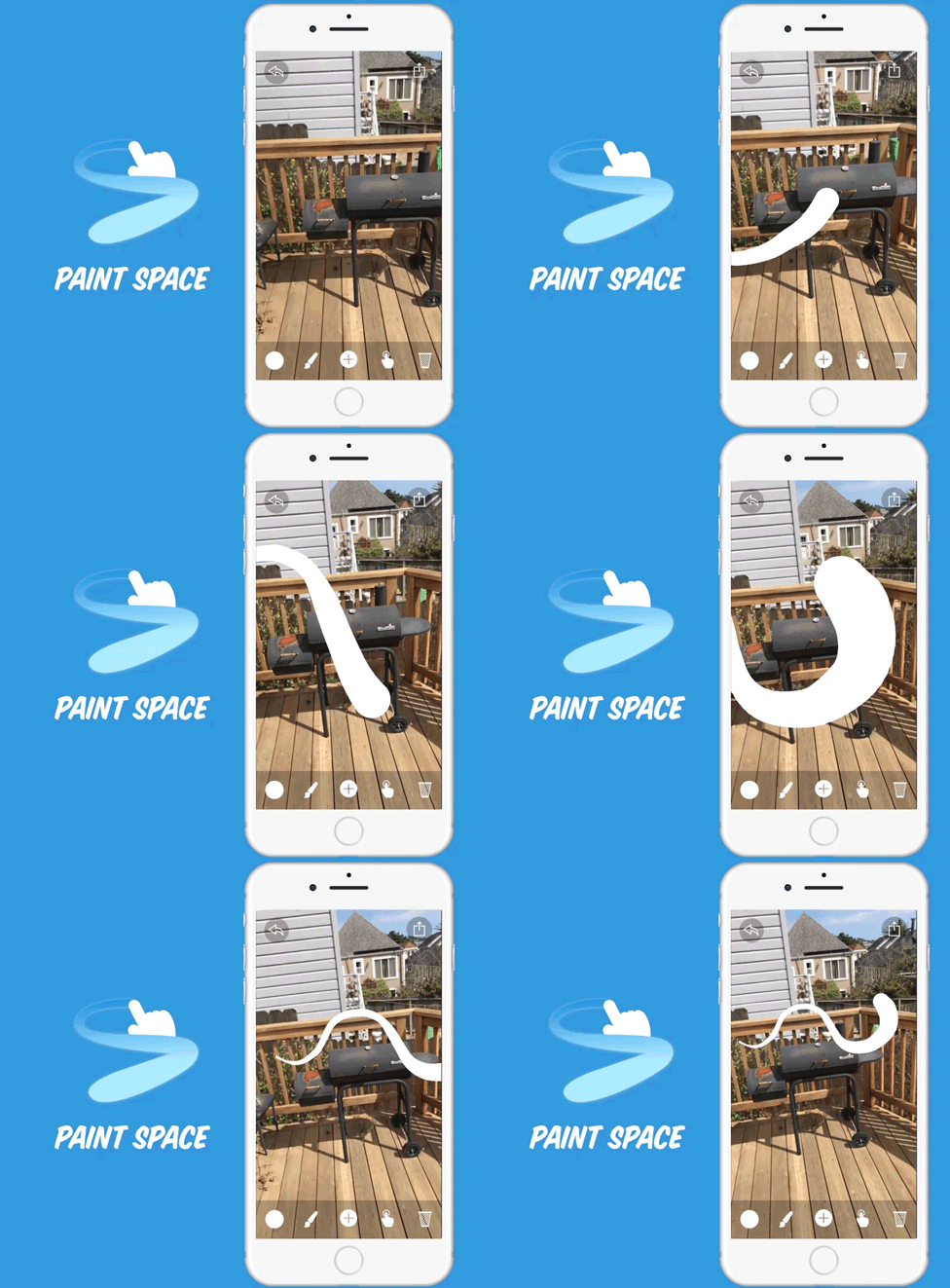
Beautiful lines aren't free.
AR has tracking jitter, and hands aren't perfectly steady - small positional shifts make hand drawn lines look shaky almost without fail. Doodling aesthetic is fine, but it looks more like a microsoft paint fail than a hand drawn doodle without some help.
I implemented a smoothing algorithm that adjusts for positional jitters that operates in realtime during the stroke. The challenge was finding the threshold: too aggressive and sharp angles get rounded out, too light and the jitter bleeds through. The final implementation applies adaptive smoothing based on drawing speed - slower strokes get more correction, fast strokes stay responsive - all dialed in to the size of jitters you expect from the scale of hands and human movement in physical space.
Combined with pressure-sensitive line thickness, this creates strokes that feel hand-drawn: expressive, varied, and personal. The goal was to make paintings feel like they were made by a person, not generated by software.
Depth perception on mobile AR is tough.
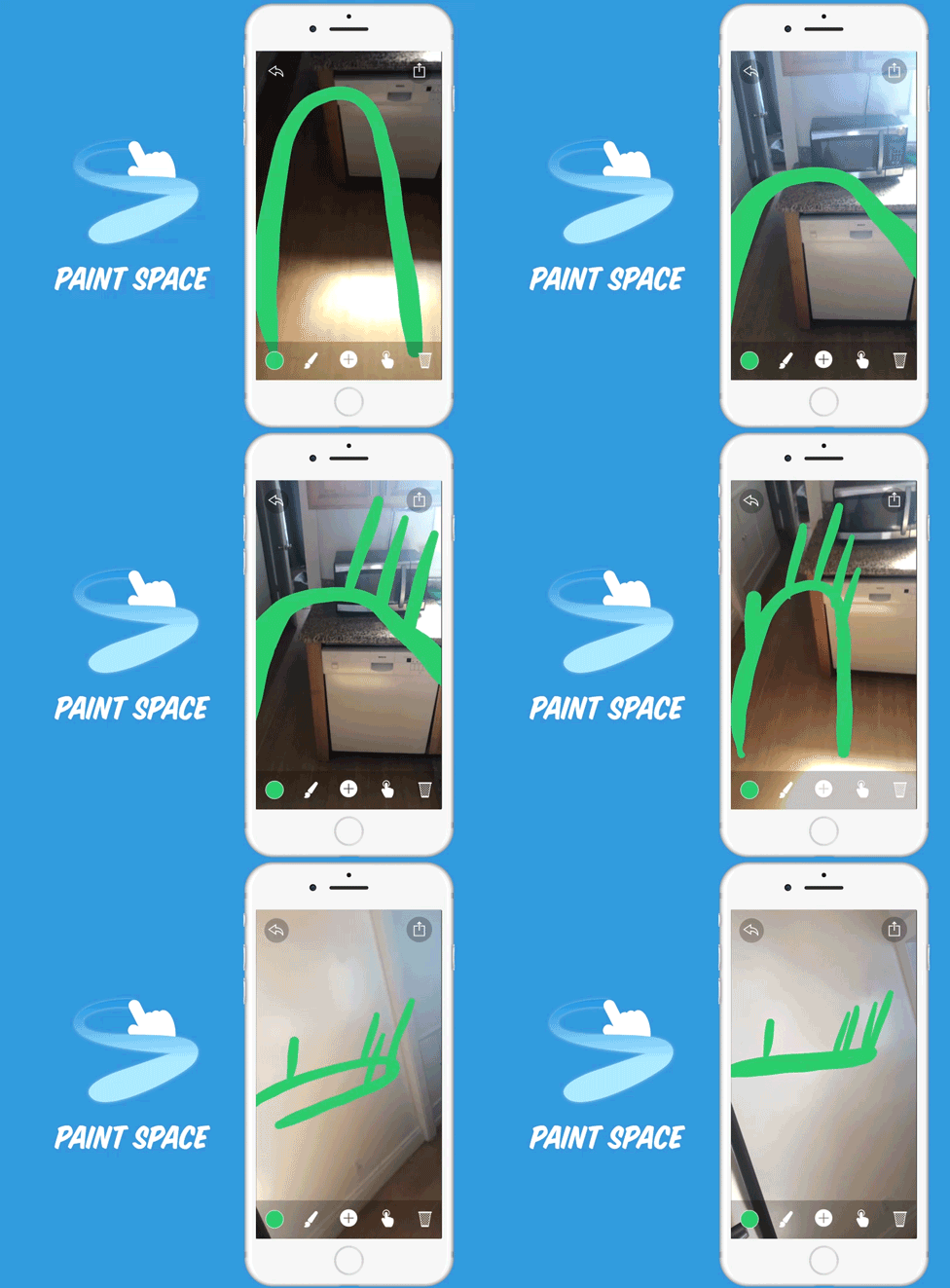
Unlike in VR with binocular displays, depth perception is extremely difficult in mobile AR. As a result, trying to connect lines drawn in space is surprisingly hard. I found that when users would try to connect two lines that looked like they should connect, more often than not when they moved, they weren't drawn at the right depth and appeared disconnected - the depth mismatch is invisible until you move the camera and see the gap.
I built a depth snapping system that detects when a new line is being drawn near an existing one in camera space and automatically repositions the drawing surface to connect to the intersecting line at the appropriate depth. This solved one of the most persistent frustrations in early testing without users ever needing to understand why it works.
You can't just say "It's AR painting!"
People generally had no exposure to AR at this point. 'It's AR painting!' meant nothing. The marketing video at the top of this page went through quite a few iterations. Early versions assumed too much familiarity with the concept.
I tested cuts with people outside the tech bubble until the video could communicate the experience in seconds to someone who had never heard of augmented reality. How you talk about something matters as much as how you build it - especially when you're explaining a concept in emerging tech.

What Paint Space proved
Paint Space was a bet that the gap between 2D familiarity and 3D possibility was bridgeable - that you could take a brand new technology and make it immediately accessible by grounding it in something people already know.
It launched into a vacuum alongside all the other launch day apps and found an audience. Not bad for a one man band working nights and evenings. Everything I've done since - from Google's AR products to Quest's spatial computing stack - builds on what I learned here: that just because the experience is new, doesn't mean it shouldn't feel familiar, and that the only way to get it right is to build, test, and think of your users every step of the way.